

OCR
OCR (optical character recognition) extracts text from a scanned document or an image and turns it into text you can copy and use further. It’s useful when you only have a photo or scan of a document, not the editable file.
When to use OCR
Section titled “When to use OCR”Use this tool when you have a paper document that was scanned or photographed and you need the text from it in digital format, for example to analyze it afterward.
-
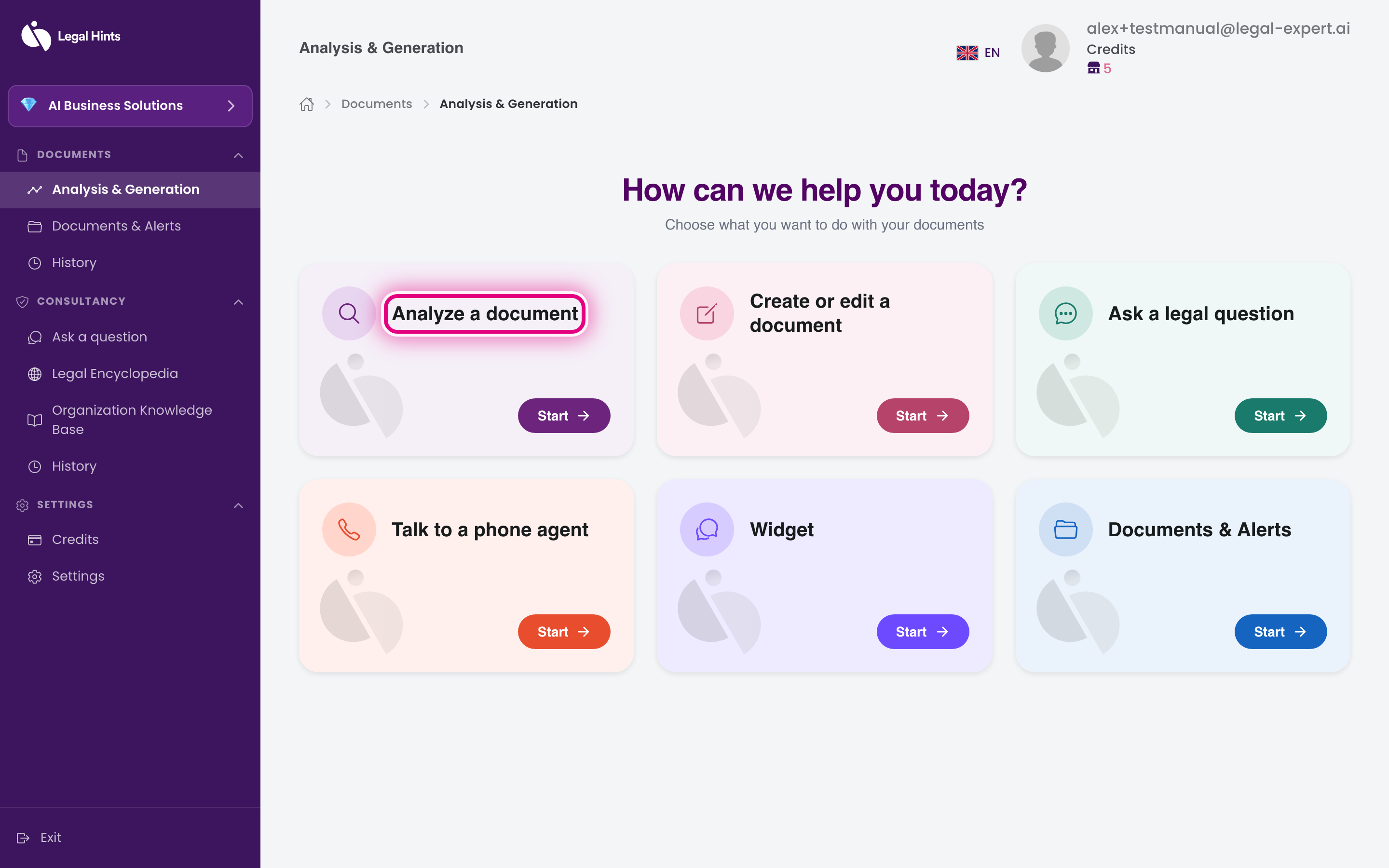
On the main hub “Analysis & Generation”, press the Analyze a document card.
-
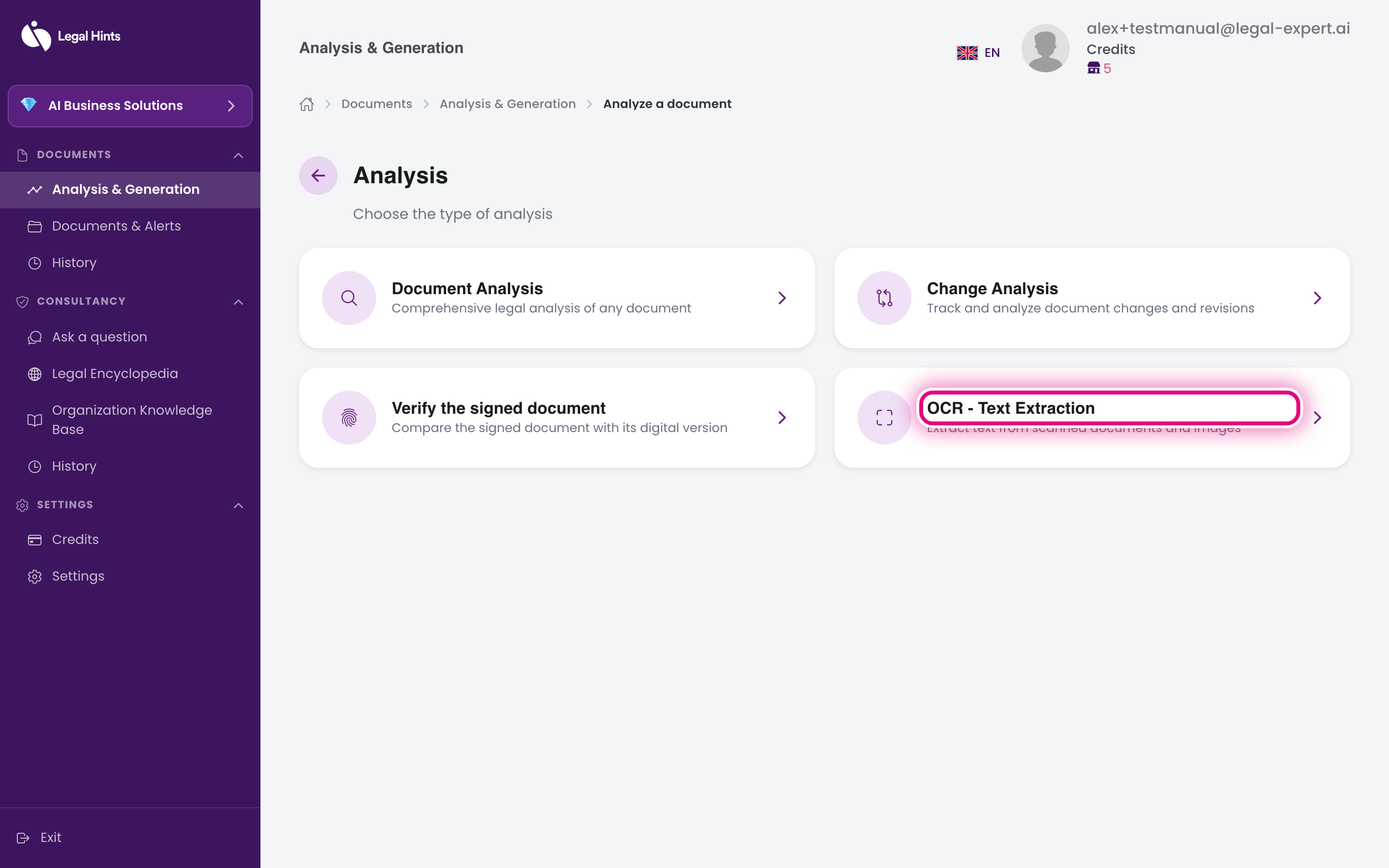
On the “Choose analysis type” screen, select OCR - Text extraction.
-
Upload the scanned document or the image you want to extract text from.
-
Confirm and wait for processing. The assistant recognizes and extracts the text from the file.
-
Review the extracted text. You can copy it to use in other tools.
What you can do with the text
Section titled “What you can do with the text”Once you have the text, you can:
- copy it and use it in another document;
- use it as a starting point for a document analysis;
- keep it for reference in your work.