

How to Ask a Question
The Legal Assistant in Legal Hints lets you ask a question in your own words and get an answer based on up-to-date legislation. You don’t need to know in advance which area the question falls under — you can choose a category or write freely, and the assistant routes it automatically.
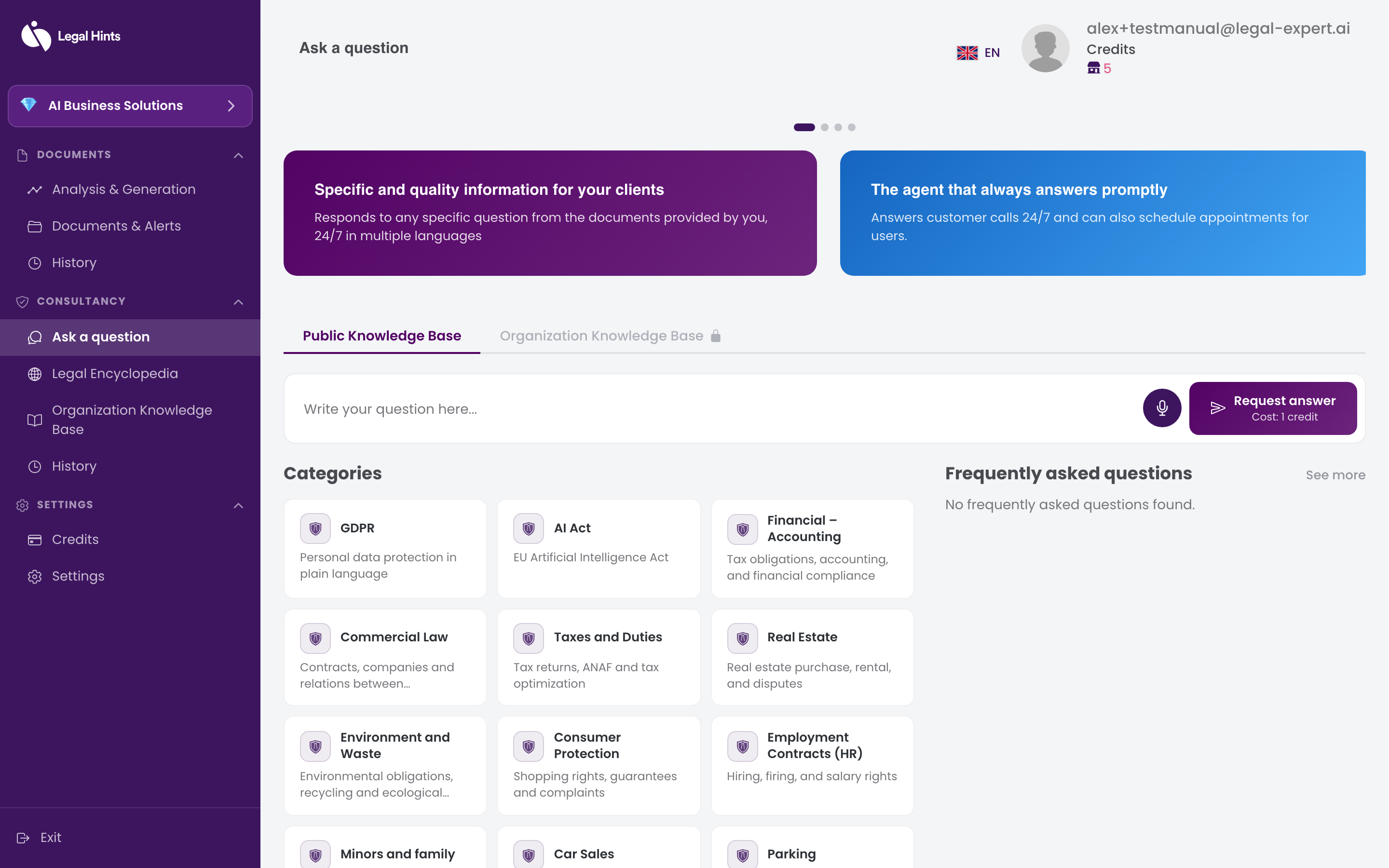
How to ask a question
Section titled “How to ask a question”- From the side menu, in the Consultation section, open Ask a question.
- Choose the question mode that suits you:
- Select a legal category from the displayed list, if you know the area (for example labor law, contracts, data protection).
- Or write the question directly in the text field, without choosing a category — the assistant routes it automatically to the appropriate area.
- Formulate the question as clearly as possible, with the relevant details of your situation.
- If you prefer to dictate, use the voice input available on the screen and speak the question instead of typing it.
- Submit the question to receive the answer.
Result
Section titled “Result”After you submit the question, the conversation with the AI assistant opens, where you receive the answer. From here you can continue the dialogue with additional questions. See Conversation with the AI assistant.