

Administration panel
The administration panel is where an organization administrator manages their own organization account on the Legal Hints platform. From here you administer the organization’s users, the conversations held with the AI assistant, the content and knowledge base, embeddable widgets, and media — all limited to your own organization.
How to access the panel
Section titled “How to access the panel”The administration panel is available at the platform’s /admin address. Sign in with your organization administrator account. After signing in you land directly on the Dashboard, the panel’s home screen.
Dashboard orientation
Section titled “Dashboard orientation”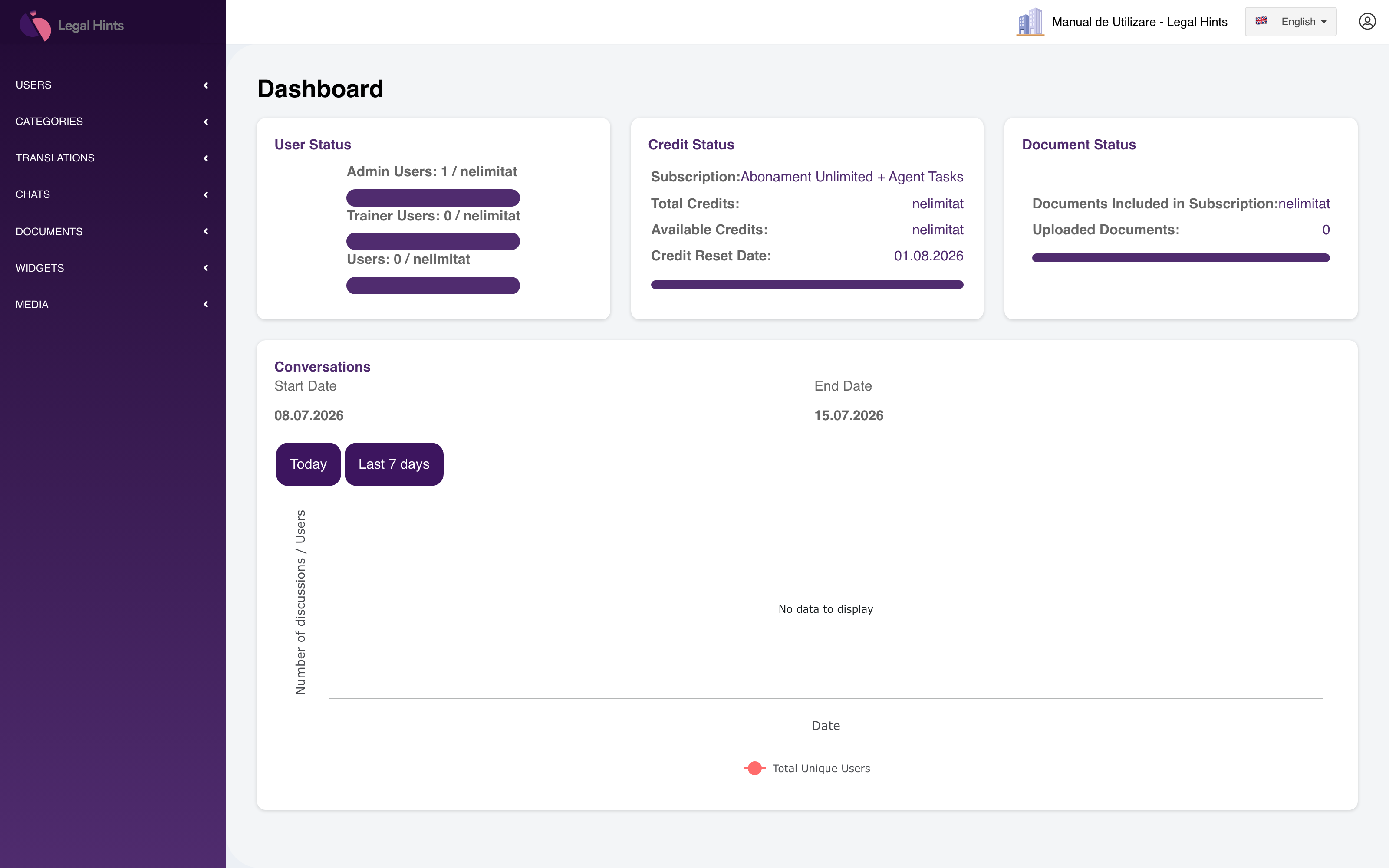
The Dashboard gives an at-a-glance view of your own organization through three status widgets and a chart:
- Users status — the number of accounts in your organization, by role: administrators, trainers, and users.
- Credits status — the organization’s subscription (for example Unlimited + Agent Tasks), the total and available credits, and the next reset date.
- Documents status — the number of documents included in the subscription versus those uploaded.
- Conversations — a chart of discussions and users over time, with Today and Last 7 days filters.
Sidebar groups
Section titled “Sidebar groups”The left-hand menu gives you access only to the areas you can administer for your organization:
- Users — the organization’s administrators, its end users (API accounts), and the credit requests they submit.
- Categories — the categories used to organize content and the knowledge base.
- Translations — the translated texts used across the organization’s interface and content.
- Chats — the discussions held with the AI assistant within the organization, together with the suggestions offered.
- Documents — the documents available to the organization’s assistant.
- Widgets — the chat widgets you can embed in the organization’s websites.
- Media — the banner sets and banner entries used in the app.